A church from above for the parish website
A field note on what a tethered camera adds to a church's own website: the elevation that shows a building in its churchyard, the sizes a volunteer team can use, the description field, and who has to say yes before the rig goes up.
A church is one of the few buildings whose own website can carry a picture taken from above without having to explain it: the tower, the churchyard and the lane it stands on read at once from a hundred feet, and none of the three reads as well from the pavement. The short answer this note gives is that a tethered platform, a kite or a mast does the work between eighty and a hundred and twenty feet, that two delivered sizes cover every use a parish page has for the frame, that the description field belongs to the photograph rather than to the upload form, and that permission is asked of the parish and of whoever has jurisdiction over the building before the rig leaves the ground.
This site writes about the platform and the arithmetic behind that height. The page itself, from what belongs above the fold to whether every member can use it, belongs to another desk. The home page checklist, the accessibility guides and the hosting arithmetic are set out at church website design and accessibility, an independent magazine about church websites written for the volunteer teams that keep them. What follows keeps to the part a low-altitude camera can contribute to such a page, and to what it costs that page in return.
Why photograph a church from above?
Because a church is a building whose meaning is partly outside itself. The tower is a landmark read against the town, the churchyard is a piece of ground with a boundary and a gate, and the approach from the lane is what a visitor is actually looking for on the way to a service. All three are relationships between the building and its ground, and a view from the pavement flattens them into a facade. From eighty feet the same three sit in one frame, and the visitor who has never been inside can place the building before arriving.
The elevation is also the cheap part of the problem. A church is a low-rise building with a tall feature on one end, which is exactly the shape a small tethered platform handles well: the camera is lifted to a working height on a line, held there while it is composed, and brought down without a runway, a launch or a battery budget that decides how long the session lasts. The arithmetic is the same lift and drag arithmetic every page on this site works through, applied to a building that will not move between sessions.
What has to be in the frame?
Three things, and the first is the ground. A picture that ends at the walls turns a church into an object; a picture that includes the gate, the wall and the first twenty metres of the lane turns it into a place. The second is the tower or spire, complete, with a margin above it, because a cropped spire reads as a mistake rather than as a decision. The third is a fixed reference the eye can use: a road, a wall, a neighbouring roof, a line of trees. Without one, the viewer has no way to judge the size of the building or the drop to the ground.
Two frames are worth taking rather than one. The wide frame, taken from the south west or wherever the light falls across the principal elevation in the middle of the day, is the one a home page can use. The second frame is closer, held at about sixty feet over the main door, and it exists for the pages that describe what happens inside: the porch, the noticeboard and the path a visitor walks. Both are taken from the same station, so the two pictures agree with each other, which is the same reason a progress record has a fixed station behind it.
How large should the file be on the page?
Smaller than the camera produces. A camera that leaves the ground with a twenty-four megapixel sensor writes a file of several megabytes, and a page that shows that file at full width pays for it in the seconds before anyone has read the service times. The working rule on this site is that a delivered image carries the conditions it was made under, and the same discipline applies to its delivery: a wide frame at sixteen hundred pixels on the long edge, saved at a quality that keeps the file in the low hundreds of kilobytes, and a second crop for narrow screens so the browser is not asked to shrink a large file into a small space.
The description field is part of the picture, not of the form. A text alternative that names the building and says what the view shows does the work for a reader who cannot see it, and it is the one field a volunteer team can write in a minute: the church, the direction it was taken from, the elevation, and what is visible in the frame. The published guidance from the Web Accessibility Initiative treats that requirement as a first principle rather than as a courtesy, and a photograph on a church home page is exactly the case it was written for.
Who has to say yes before the rig goes up?
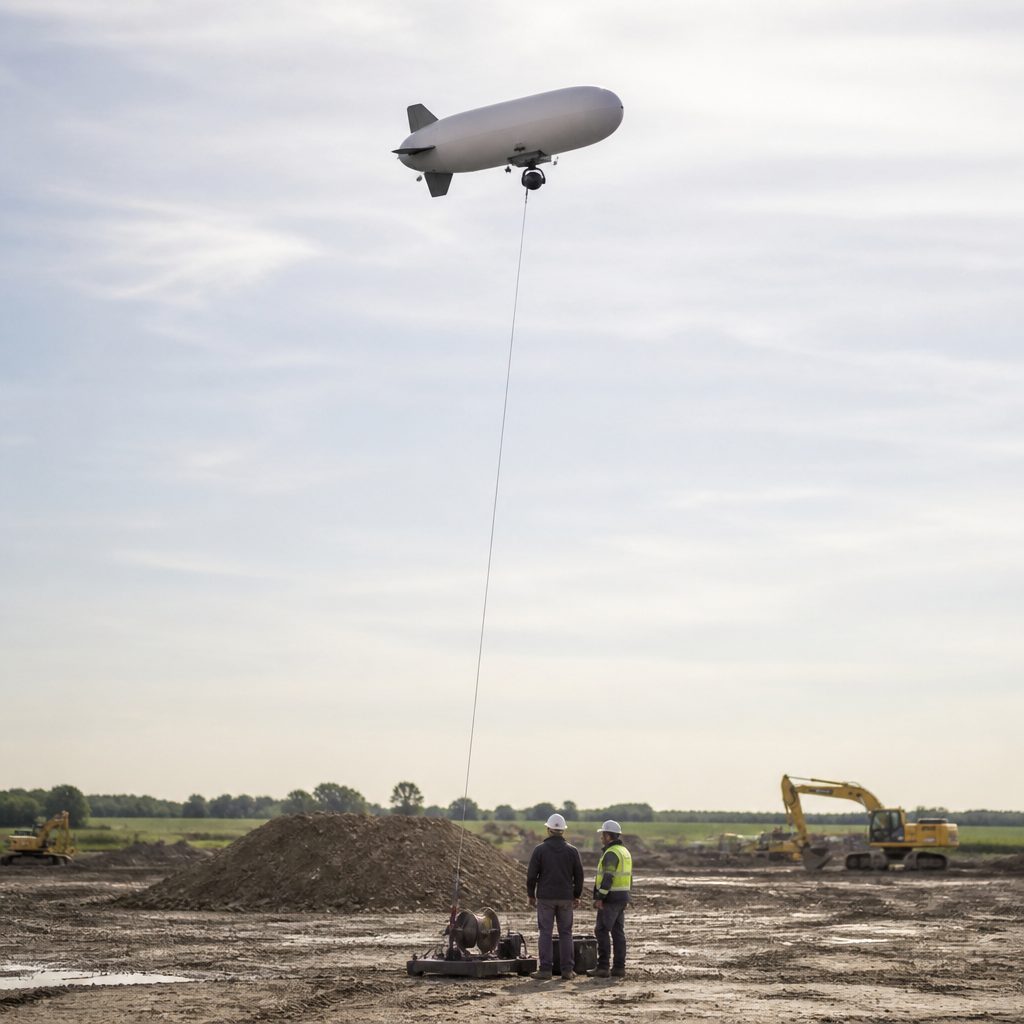
The parish first, because the ground is in use and the session will be visible from the road. Then whoever holds jurisdiction over the building itself, since a listed or otherwise protected church usually carries a consent regime that governs works and sometimes the recording of them. Part 101 of the United States federal rules covers a moored balloon on a line, and it is read separately from the part that covers a small unmanned aircraft, which is why the two platforms answer to different documents on this site. The practical sequence is a letter, a date, a named contact on the ground, and a session planned for a weekday morning when the churchyard is empty. This practice is set out in Walk-through and photograph.
The last point is editorial rather than legal. A church photograph taken from above is a record of a place as much as it is a decoration for a page, and the habit of writing down the date, the station, the elevation and the light makes it usable years later, when the same frame is taken again for a centenary or a building project. That habit is the subject of the note on the record a place keeps, and the file end of it, the laptop that holds the log and runs the schedule, is worked through in the ground station note. A worked case is the field note on aerial photos on a page: formats, icons, checks.