Aerial photos on a page: formats, icons, checks
Image formats and page weight, icon choice, performance checks and link rot for a page that has to carry an aerial photograph.
A page that has to carry an aerial photograph is usually decided by two numbers: the pixel dimensions of the file and the bytes it adds to the document. A single 6000 by 4000 pixel frame exported at quality 90 in JPEG can weigh 8 to 12 MB, which is too much for a page that also loads text, icons and scripts. The working method is to resize to the largest size the layout will actually display, export in a modern format, and then verify the result with a performance audit rather than by eye.
What image format and weight should an aerial photograph use?
Start from the display size, not from the camera. If the photograph occupies a column of 1200 CSS pixels on a desktop layout, a 2400 pixel wide export covers a 2x screen density; anything beyond that is discarded by the browser. A 2400 by 1600 pixel frame is 3.84 megapixels, and at JPEG quality 80 that lands between 400 and 900 kB depending on how much fine texture the scene contains. Fields, water and forest canopy compress poorly; roofs, roads and bare soil compress well.
WebP and AVIF both reduce weight against JPEG at the same visual quality, typically by 25 to 50 percent for AVIF on photographic content. AVIF encoding is slower and support is not universal on older browsers, so the common pattern is a `
Two attributes matter more than the format choice. `width` and `height` on the `img` element reserve the layout box before the file arrives, which prevents the content shift that a late-loading photograph causes. `loading="lazy"` on images below the fold defers the request until the reader scrolls near them. The hero photograph, the one at the top of the page, should not be lazy: it is the element the reader is waiting for.
Compression settings are worth testing per image rather than applying one global value. A quality of 75 to 85 in most encoders is where the curve flattens: below 70, sky gradients start to band; above 90, file size grows faster than visible detail. For a page that mixes a large aerial frame with interface graphics, the general rules for web image formats and page weight apply to both, and the same audit that measures the photograph also measures the icons.
Which icon set fits a page built around one large photograph?
Icons on such a page are small: a menu toggle, a share control, a location marker, a caption expander. They sit next to a detailed photograph, so their stroke weight and corner radius are read in contrast to it. A thin 1.5 pixel stroke at 24 pixels reads as light against a busy aerial scene; a 2 pixel stroke holds better. Consistency matters more than the specific family: mixing a rounded set with a squared set is visible immediately at this size.
Licensing is a practical constraint, not a formality. Icon families are distributed under different terms: some are MIT, some are CC BY 4.0 and require attribution, some are free for non-commercial use only. The license file that ships with the set states which applies. Attribution, when required, belongs in a credits page or a footer line, not in a tooltip.
Accessibility decides the markup. A decorative icon that repeats adjacent text takes `aria-hidden="true"` and an empty `alt` attribute. An icon that is the only label for a control needs an accessible name, either visible text, an `aria-label`, or a visually hidden span. Inline SVG is the most controllable delivery method because it inherits `currentColor` and can be styled with CSS; an icon font is the least controllable because a failed font load leaves empty boxes.
Icon weight is small in absolute terms, a few hundred bytes each after minification, but the count adds up. Twenty inline SVGs of 1 kB each are 20 kB of HTML that cannot be cached separately from the document. A single sprite file, or a small set of external SVG files, is cacheable and keeps the HTML lean.
How do performance checks confirm the page is not too heavy?
Measure on the deployed page, not on a local build. Field data from real visitors and lab data from a throttled test both matter, and they answer different questions: field data shows what the audience actually experiences, lab data shows what changed after an edit.
Core Web Vitals are the reference set. Largest Contentful Paint measures when the main content element finishes rendering; for a page whose hero is a photograph, that element is often the image itself, so its weight and its priority setting drive the score. Cumulative Layout Shift measures unexpected movement, which is where missing `width` and `height` attributes show up. Interaction to Next Paint measures responsiveness, which a heavy main-thread script can degrade even when the image is small.
A repeatable check sequence takes about ten minutes:
1. Load the page with the network panel open and record the transferred bytes for images, fonts, CSS and JavaScript separately. 2. Sort requests by size and confirm the largest image is the one the layout actually displays at that size. 3. Disable the cache and reload to see the cold-start cost, which is what a first-time visitor pays. 4. Run a Lighthouse or equivalent audit and read the specific opportunities, not the summary score. 5. Compare the numbers against the previous run and keep the record.
A useful target for a photograph-led page is a total transfer under 1.5 MB on first load, with the hero image under 300 kB. Those figures are not universal, but they are checkable, and checkable targets are the ones that survive a redesign.
What causes link rot on a page that stays online for years?
Link rot is the gradual failure of outbound links as the destinations move, restructure or disappear. A page about a specific place, a church, a field, a shoreline, accumulates links to local sources: a parish site, a municipal page, a tourism office, a map service. Those addresses change more often than the page itself does.
The failure is silent. A reader who clicks a dead link leaves; the page owner sees nothing in the analytics unless the click is tracked. The reliable countermeasure is a scheduled check. A small script can extract every `href` from the rendered HTML, request each URL, and log the status code. Redirects deserve attention too: a 301 that has chained through three hops is a link that will break at the next move.
Metadata decays on the same schedule. Titles, descriptions and canonical tags that pointed at a correct address two years ago may now point at a redirect. A check that covers both links and metadata in one pass costs little more than a check that covers links alone.
Documentation is what makes the check repeatable. A short record per page, listing the last check date, the tools used and the failures found, turns an occasional task into a routine. Without that record, the next person to work on the page starts from nothing.
How should the photograph and the page be documented together?
Keep the original frame and the exported file as separate assets, and record the export settings next to the page. The entry needs four values: source dimensions, export dimensions, format and quality, and the resulting file size. When the layout changes and the image column widens, that record tells you immediately whether the existing export still covers the new display size.
The same record should note the icon set and its license, the date of the last performance check with the measured figures, and the date of the last link check. A page that carries one large photograph and a handful of controls has few moving parts, and all of them can be listed on a single screen.
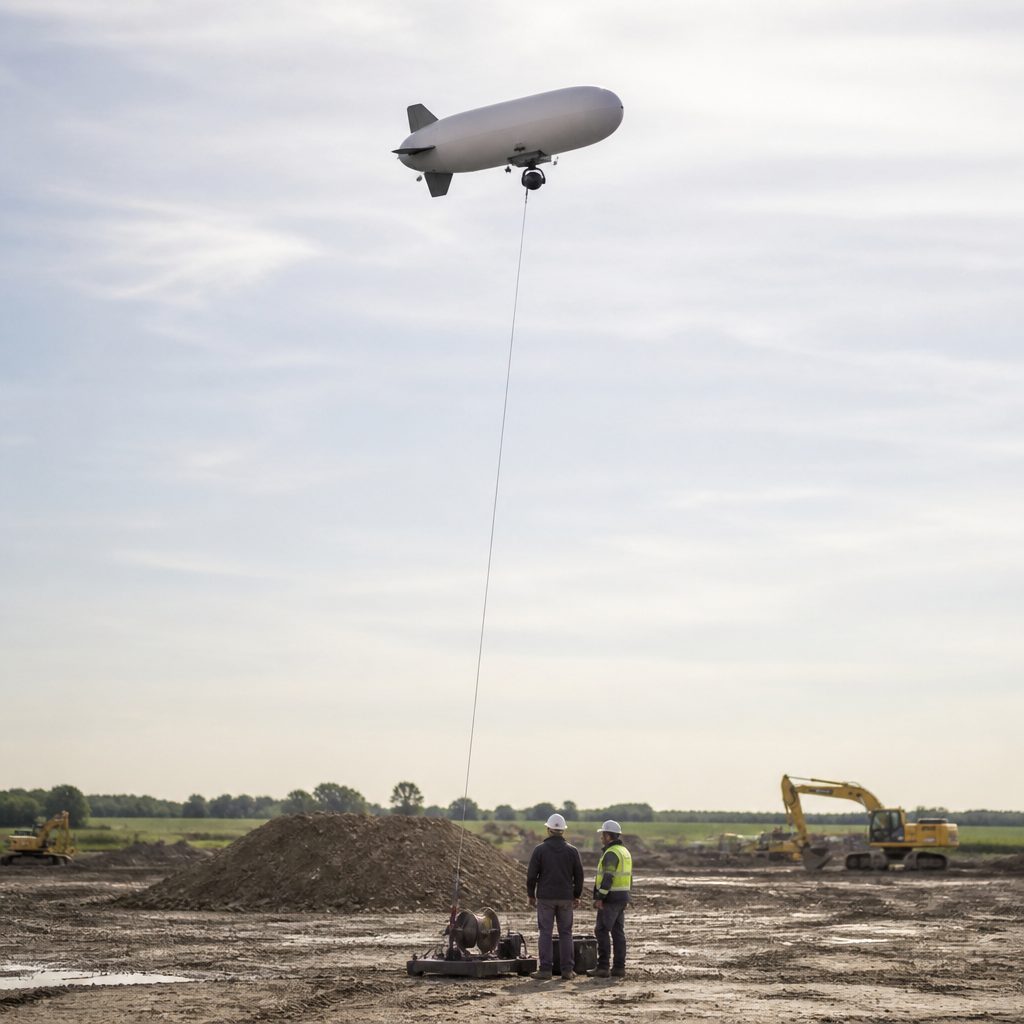
The photograph is the reason the page exists. Everything around it, the format, the icons, the audit, the link check, exists to keep it loading quickly and staying reachable. The same question is worked through in Battlefield 2142 maps and walkers.